StreamElements Alternative: How to Replace Your SE Tools
This article has been updated. See the update at the end.
If you built your stream around StreamElements, changing tools can feel like a lot. Years of overlay configurations, chatbot commands, loyalty points, and tipping pages, all woven into a single platform that became part of how you stream. Wanting more control over that setup, without losing what you've built, is a good reason to explore your options.
This guide was originally written for creators looking for a way forward during StreamElements' funding uncertainty. The situation has changed since then; the latest update below explains what that means for your setup. The practical goal stays the same: choose tools that help you create a better stream and stronger community.
At FrostyTools, we focus on the community side of streaming. Some creators want to migrate everything. Others want to keep their existing setup and add better chat engagement. Both make sense. You can start with personalized welcomes, shoutouts, and ad-break content without replacing your overlays or moderation bot.
This guide breaks down the core functions StreamElements handles and recommends the best replacement for each. We'll be straightforward about where FrostyTools fits and where it doesn't. We handle chat engagement and community building well. For overlays, tipping, and merch, other tools are the better pick, and we'll point you to them.
Why Replacing StreamElements Isn't as Simple as Picking One Tool
StreamElements isn't just a chatbot. It is a cloud-based all-in-one platform that bundles overlays, alerts, chat moderation, tipping, loyalty points, merch, and multistreaming into a single ecosystem. If you're a streamer in the 3-500 viewer range, there's a good chance SE handles much of your setup.
That bundling made the initial setup easy. It also means several parts of your stream share the same service dependency.
Our preferred replacement strategy is choosing the right tool for each job and letting them run alongside each other. A little more setup upfront gives you more control over which parts you keep or change.
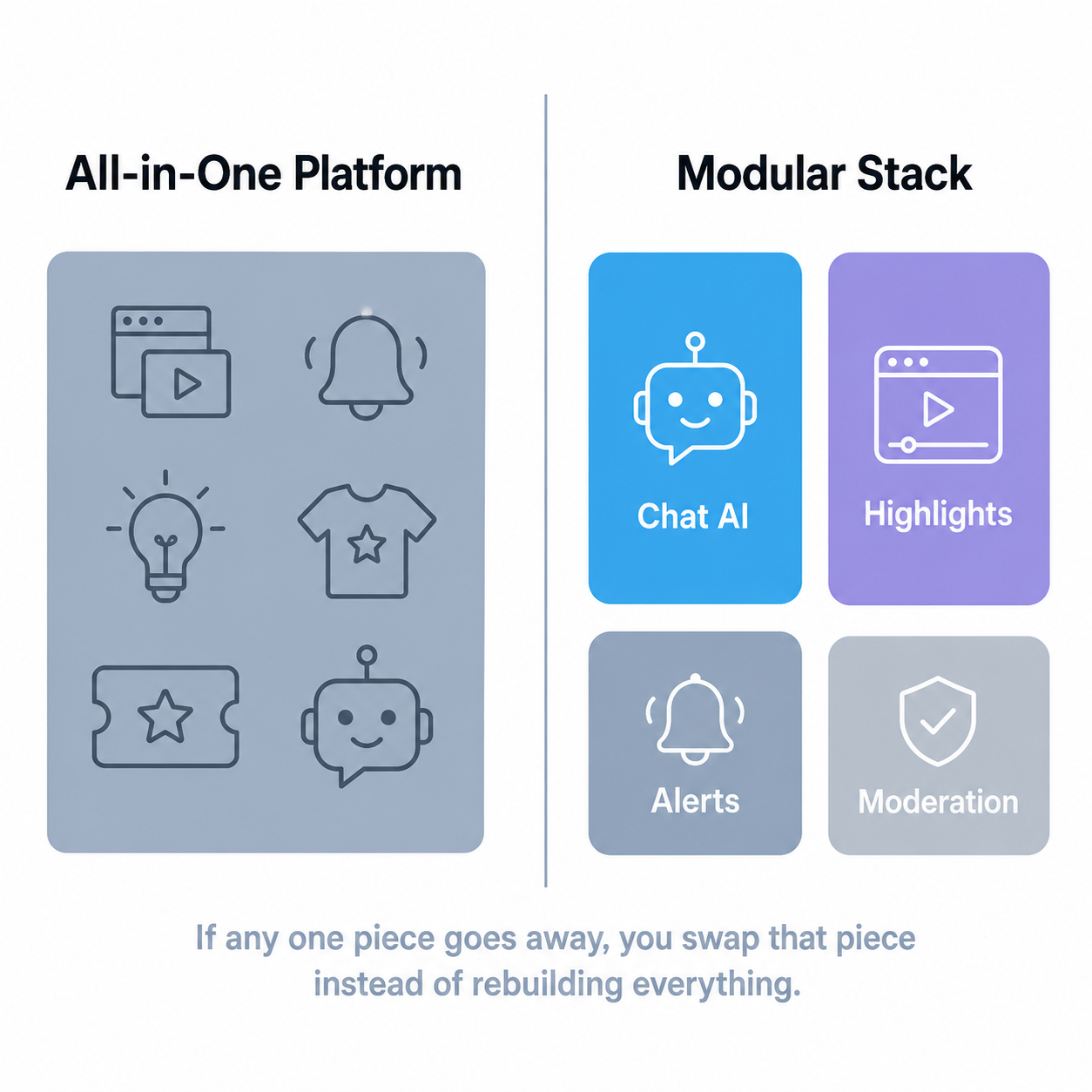
Here's what to use for each function you want to replace.
Overlays, Alerts, and Visual Design
What SE offers: A cloud-based overlay editor with drag-and-drop widgets, alert boxes, event lists, chat displays, and SuperThemes. Overlays reach OBS through browser-source URLs, so check the services behind each source when migrating.
Why this needs planning: Your destination determines what you can import. Some supported overlays and widgets can move through a documented importer; others need rebuilding. If you spent hours dialing in your overlay setup, save your original assets and test one scene before moving the rest. Give yourself grace with it. See the migration steps below.
Best Replacement: Meld Studio (free, local rendering)
Meld Studio is a broadcasting and recording app with a free base offering. Local scenes give you control over your layout, while browser sources and online integrations still depend on their providers.
Why it works well for SE migrants:
- Free base app - broadcasting and recording remain available without a subscription; optional Spark plans add paid capabilities
- Local scenes let you keep your own media on your streaming computer; check any hosted widgets separately
- Built-in widgets, GPU-accelerated effects, and animated transitions without extra plugins
- Built-in multistreaming (more on that below)
The migration shortcut most people miss: if you've been running OBS alongside StreamElements, Meld Studio has an OBS scene importer. It can save rebuilding your existing scenes, but imported browser sources may still point to StreamElements. Test each alert and widget before treating the scene as independent.
If you'd rather keep your existing broadcaster, plain OBS Studio is also an option. You can change chatbots or replace individual browser sources without rebuilding your whole production workflow.
Alternative: Fourthwall (for Alert Overlays Specifically)
If you primarily need alerts for tips or merch, Fourthwall supports stream alerts through StreamElements or Streamlabs. Choose the integration that fits the tools you're keeping. Fourthwall does not, by itself, make an existing StreamElements alert independent of that service. More on Fourthwall in the tipping section.
Chatbot and Community Engagement
What SE offers: A cloud-based chatbot with moderation tools, custom commands, timed messages, spam filters, and chat mini-games. The bot handled both utility (moderation, commands) and engagement (timers, interactive features).
This is the function you interact with every single stream, so it's where most people will feel the switch most acutely. It's also where the replacement options have changed the most since SE first built its chatbot.
Best Replacement for Community Engagement: FrostyTools
FrostyTools is built specifically for Twitch, and it approaches chat from a different angle than a traditional moderation bot. Our Smart Chatbot uses stream and recent-chat context to generate personalized welcomes, shoutouts, and other community moments. Keep your moderation tools and let FrostyTools handle those personal interactions.
Here's what that looks like in practice:
Full-scope Shoutouts: When you run !so StreamerName, the bot pulls the target's public profile, recent stream titles, tags, and bio to create a personalized shoutout that tells your viewers who this person actually is and why they should check them out. You can pick from 20+ personality presets (Viking, Film Noir Detective, Pirate, Valley Girl, and others) or create fully custom personality settings.
Warm Welcomes: Automatic welcome messages for new followers that pull from their username and your current stream context. These tend to create a ripple effect: when one person gets a personalized welcome, lurkers and fence-sitters often follow just to see what their message would say.
Attention Retention: This activates during ad breaks to keep your chat going while viewers can't see your stream. It generates chat recaps in fun formats (poem, newscast, nature documentary) that call out specific viewers by name, plus trivia questions that tease answers for after the ads end. Your viewers start looking forward to ad breaks instead of tabbing away.
Showstarter (Benefactor): For the anxiety of going live to an empty room. When you start streaming, Showstarter analyzes your previous stream and generates a "last time on..." recap combined with hype for today's content. Your early viewers have something to read and discuss while you finish getting set up, and you're not staring at a silent chat.
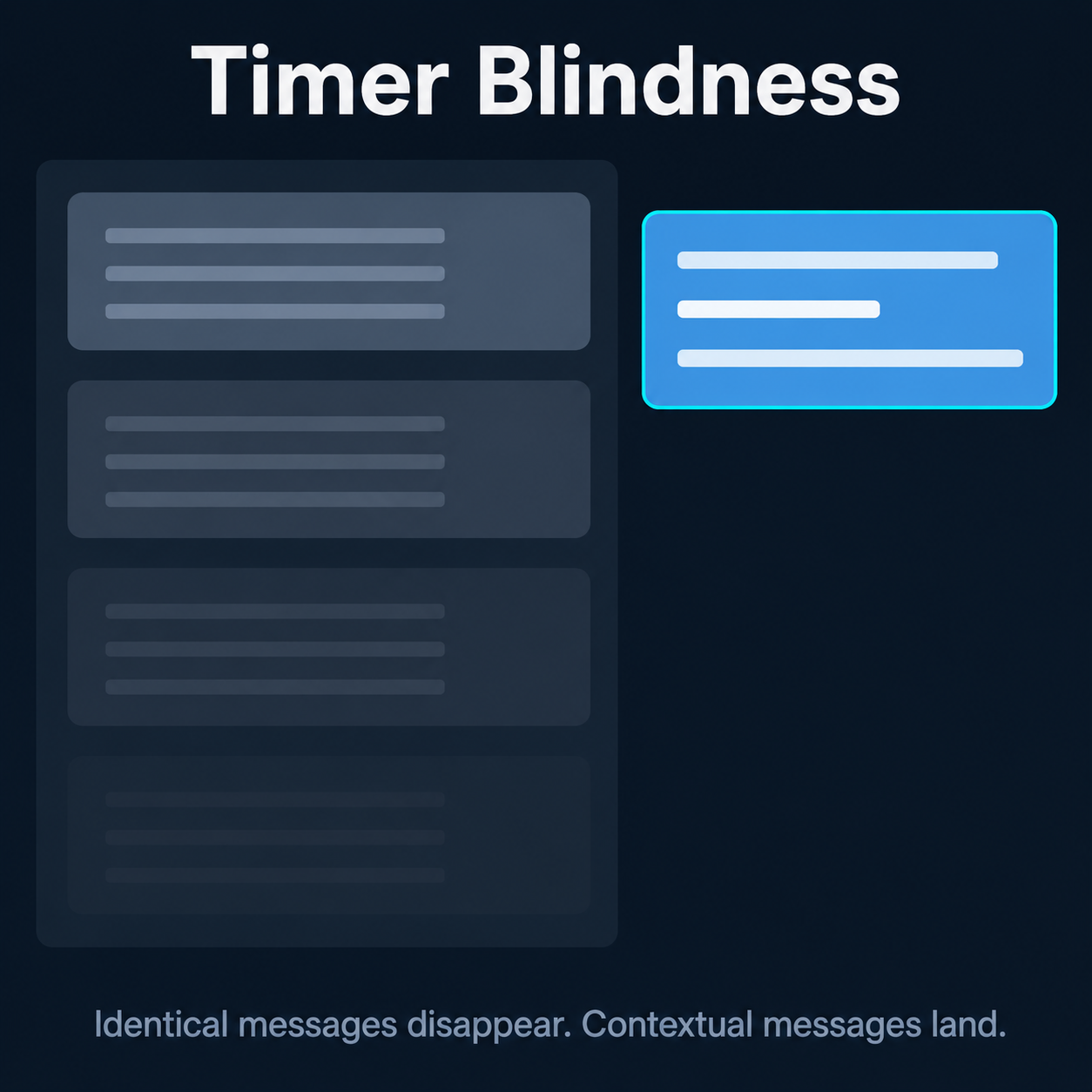
Smart Scheduled Chat Messages (Benefactor): Traditional timer messages ("Follow me on Twitter!") repeat on a loop and everyone learns to ignore them. Smart Scheduled Chat Messages incorporate current stream topics and recent chat activity, so each one reads differently. Includes Timely Tweet Templates, which auto-generates custom tweets about your current stream for both you and your viewers to share.
Lurker Love: Personalized farewell messages when viewers type !lurk, referencing their recent chat contributions. If someone mentioned they're making dinner and then lurks, the bot might reference their dinner plans in the goodbye.
Custom Celebrations: Thank-you messages for subs, gifted subs, bits, and donations that reference the supporter's recent chat activity and current stream content. Every celebration is different.
Tailored Raid Messages: Type !raid StreamerName and get a custom message that bridges your stream to your raid target's content, analyzing both streams to create a natural transition.
The free tier includes Full-scope Shoutouts, Warm Welcomes, Lurker Love, Attention Retention, Custom Celebrations, and Tailored Raid Messages. The Benefactor package ($9/month) adds Reactive Responses (viewers can have conversations with the bot), Showstarter, and Smart Scheduled Chat Messages, plus no cooldowns and priority support.
Two more tools worth knowing about:
Highlight Hunter scans your VODs using AI to find clippable moments, so you can turn stream highlights into social media content without scrubbing through hours of footage manually. It runs on a pay-as-you-go token system. No monthly subscription.
Vibe Raider helps you find raid targets based on content style and energy rather than just browsing categories randomly. Free to use.
Best Replacement for Moderation: Fossabot
FrostyTools handles community engagement, not punitive moderation. We're built to run alongside a traditional moderation bot, not replace one. For the spam filtering, link blocking, and command management side of what SE did, Fossabot is an option to pair with FrostyTools.
Fossabot's command editor supports custom responses, variables, cooldowns, and permission roles. Recreate your important commands there, check any destination-supported import options, and test the results. Give each bot unique triggers so they don't talk over one another.
Alternative for Advanced Automation: Streamer.bot
If you want more control and don't mind a learning curve, Streamer.bot runs locally on your PC and offers multi-step automations. Its StreamElements integration can receive tip and merch events while you keep those services connected. That live integration is different from importing your whole setup. Pair automation with FrostyTools for ready-to-use community features.
Tipping and Monetization
What SE offers: Tipping pages and on-stream support alerts. Payment methods and payout arrangements can change, so review the current account update before moving your tip links.
Best Replacement: Fourthwall
Fourthwall is our pick when you want tipping and merch in one creator storefront. Its pricing page lists no additional platform fee for donations beyond payment processing. Fourthwall also acts as merchant of record for its store transactions, handling sales-tax collection and remittance as described in its membership and store FAQ. Check the terms that apply to your products and country.
Fourthwall supports major cards and several digital payment methods. Configure and test your chosen alert integration before moving the support link your viewers use.
Alternative: Ko-fi
For a lightweight tip jar, Ko-fi offers Twitch chat alerts and payment-triggered clips. That can give you a clip of a support moment to share later. Check current fees and the account settings for the type of support you plan to accept.
A Note on Pally
You may see Pally.gg recommended in migration guides. Before moving your income to any provider, check its current payout terms, support channels, and status history. A past outage report does not establish a provider's current reliability. Test the workflow before changing your public tipping link.
Don't Forget: Twitch's Native Monetization Update
Twitch offers Bits, subscriptions, emotes, badges, and Channel Points to eligible streamers globally. Access to those tools is different from payout eligibility: Twitch still requires Affiliate or Partner status for payouts. Native support and a separate tip page can serve different needs; choose the mix that fits your community.
Loyalty Points and Viewer Rewards
What SE offers: A cloud-based loyalty point system that awarded virtual currency for watch time. Viewers could spend points on sound alerts, visual redemptions, or chat mini-games.
Best Replacement: Streamer.bot or MixItUp
Local tools can give you more control over your reward setup. Mix It Up documents currencies, ranks, inventories and stream passes, so you can choose the kind of viewer economy you want to run.
For custom automation, Streamer.bot is another option to evaluate. Verify the actions and persistence your reward system needs rather than assuming it has an identical built-in replacement for StreamElements loyalty.
The migration challenge here is real: a loyalty system and a compatible importer are separate requirements. Check supported formats and compare a sample of balances after import. If you choose to reset your point economy instead, explain the change to your community first. FrostyTools can add personal chat interactions alongside whichever reward system you choose.
Merch
What SE offers: An integrated merch store on the creator's tipping page.
Best Replacement: Fourthwall
Fourthwall is a useful option for a storefront on your own custom domain, with print-on-demand products and prices you choose. Product costs and payment processing affect your margin. It also supports digital products and recurring memberships. Its current plans distinguish digital-product fees from membership fees; a Pro waiver for digital products does not mean every fee disappears.
That gives you room to build a dedicated shop while keeping your streaming and community tools separate.
Multistreaming
What SE offers: The SE.Live OBS plugin supports simultaneous broadcasting to multiple platforms (Twitch, YouTube, TikTok, Kick) without a paid restreaming service.
Best Replacement: Aitum or Meld Studio
Aitum offers an OBS multistreaming plugin for creators who want to keep OBS. Plan for the hardware and upload capacity your chosen outputs require, then test the result on each destination.
Meld Studio includes multistreaming options. Meld Multi is a separate cloud-based option that also works with OBS and other RTMP encoders. Local output and cloud distribution have different dependencies; pick the workflow that fits your connection.
How to Migrate Your StreamElements Data
Before you disconnect anything, save your settings and original media. A backup is useful whether you replace everything, add FrostyTools alongside your current bot, or decide to keep most of your setup.
Commands, Quotes, and Points
- List your important commands, responses, variables, permissions, cooldowns, and timers.
- Save any exports your current tools support and check which fields they contain.
- Follow your destination's import instructions, or recreate a small set of commands first.
- Compare imported balances and rewards before telling viewers their points have transferred.
Save these records locally. They're your safety net regardless of which tools you choose.
Moving to Streamlabs: its official StreamElements importer supports eligible settings and widgets. The step-by-step migration guide explains the workflow and its limits.
Moving to Fossabot or Streamer.bot: use the destination's supported command setup or import process. Do not assume a CSV or a live account integration transfers every variable, quote, reward, or balance.
Overlays (The Hard Truth)
Overlay portability depends on the destination and widget. Supported imports can save time, but a copied browser-source URL may still call StreamElements. Keep original graphic elements and custom code you own, and check layouts, event triggers, and hosted media in your replacement.
This can be the most time-consuming part of the migration. Building local scenes in Meld or OBS lets you keep your own media close at hand. If you've already built OBS scenes alongside StreamElements, an OBS scene importer can preserve that work, but test the hosted sources it brings with it.
Removing SE.Live from OBS
If you choose to stop using SE.Live, back up your OBS profiles and scenes first. Follow the current vendor uninstall instructions for your system, then check your replacement sources before going live.
- Export or copy your OBS profile and scene-collection backups.
- Check which docks, alerts, and browser sources still use StreamElements.
- Follow StreamElements support's SE.Live instructions if removing the plugin is part of your plan.
- Make a local recording and test the rebuilt sources before deleting the old ones.
Unlink Your Accounts
Once the replacements work, review connected accounts and revoke integrations you no longer need. Keep access to any service with outstanding balances, records, or active dependencies until you have dealt with those separately.
The Replacement Tool Stack at a Glance
| SE Function | Recommended Replacement | What to Check |
|---|---|---|
| Overlays and visual alerts | Meld Studio or OBS | Scene import, hosted-source dependencies, and alert behavior |
| Chat engagement and community | FrostyTools Smart Chatbot | Free core features; $9/month Benefactor extras |
| Chat moderation and commands | Fossabot | Responses, permissions, cooldowns, and supported import formats |
| Tipping and donations | Fourthwall or Ko-fi | Current fees, payouts, and alert integrations |
| Merch store | Fourthwall | Product costs, storefront requirements, and plan-specific fees |
| Loyalty points | Mix It Up or a custom Streamer.bot workflow | Reward model, persistence, and balance compatibility |
| Multistreaming | Aitum or Meld options | Local versus cloud outputs, bandwidth, and destination support |
| VOD highlights | FrostyTools Highlight Hunter | Pay-as-you-go tokens and your clipping workflow |
Moving Forward
Spreading your tools across specialized platforms lets you change one part of your setup at a time. You can keep the tools that work and add FrostyTools where you want more personal community engagement.
Start small. If you want better welcomes and shoutouts, connect FrostyTools alongside your moderation bot first. Give each bot its own commands, test one feature, and let your community try it. You don't need to migrate your overlays, merch, or tipping before getting that benefit.
If you want to start somewhere, chat engagement is the fastest swap. Connect FrostyTools to your Twitch account in under a minute, turn on the features you want, and you'll have community tools running alongside whatever moderation bot you choose. From there, migrate overlays and tipping at your own pace.
Your community is already built. The tools just need to catch up.
Replacing StreamElements? Connect your Twitch account with FrostyTools in under a minute and add a community engagement layer that runs alongside whatever moderation, overlay, and tipping tools you choose.
StreamElements Update
Razer announced its acquisition of StreamElements assets. Its creator FAQ says the platform continues and no account migration is required. The earlier funding uncertainty is not a reason to assume your tools are shutting down.
You can still choose a StreamElements alternative for a better fit, or keep StreamElements and add FrostyTools' free chat features. Personalized welcomes, contextual shoutouts, and ad-break recaps are a starting point you can use without replacing your production setup.
Ready to make chat feel more personal? Connect your Twitch account with FrostyTools and start with a free feature. If you're replacing more of your stack, follow our StreamElements migration guide.
Keep Reading
Keep building a streaming stack that won't break on you with these guides.