Context gives chat something to react to.
Messages can reflect current stream topics, recent chat, public channel context, and your chosen voice instead of repeating the same line forever.

FrostyTools Smart Chatbot
FrostyTools Smart Chatbot gives your stream an authentic chat companion that helps every viewer feel like they belong: welcoming newcomers, lifting quiet stretches, keeping viewers engaged during commercial breaks, and taking chat engagement work off your plate when the stream needs your full attention.
Nothing happens until you set it up · Disconnect anytime
just followed!
Welcome in, pixelpancake. You joined right as chat is deciding whether the lava moat is security or a future lawsuit.
!so autumnarcade
Go follow autumnarcade: cozy challenge runs, patient boss fights, and a chat that turns every mistake into a running joke.
!lurk dinner time, keeping stream on the second monitor
Enjoy dinner, quiet_bean. We'll keep the forge warm and save you a seat for the next roof collapse.
AI Twitch chatbot proof
Real community reactions show what FrostyTools Smart Chatbot is built for: warmer welcomes, better shoutouts, smarter lurk replies, ad-break recaps, and stream moments viewers actually answer.
The real product
A static command can post a link. FrostyTools is built for the social moment around that command: who the other streamer is, why the raid matters, why the follow deserves a welcome, why a lurker should still feel part of the room, and what chat needs to know when ads interrupt the stream.
Messages can reflect current stream topics, recent chat, public channel context, and your chosen voice instead of repeating the same line forever.
Welcomes, lurk replies, ad-break recaps, and support celebrations are not huge events by themselves. Together, they make the room feel attended.
Enable only what fits, decide who can trigger command-driven features, and keep your existing moderation bot for the jobs it already handles well.
Feature map
The strongest features are not random tricks. Each one maps to a moment where streamers commonly lose momentum, miss a person, or need a better line than a canned timer.
The chatbot uses public channel context to introduce the streamer behind the username, giving chat a reason to care and giving you an instant conversation bridge.
Every new follower can get a welcome that fits their name and your stream context, with protection for offensive names and automatic shutoff during suspicious follow spikes.
When someone steps away, Frosty can thank them with a reply shaped by recent chat and stream tone, so quiet support still feels seen.
Ad-break recaps and Curiosi-tease messages help late arrivals and lurkers stay connected to what just happened instead of drifting off during the break.
Subs, gifted subs, bits, and charity donations can become one-of-a-kind thank-you moments that reflect the supporter and the current stream.
Generate a raid message that connects where your stream just was with where your community is going, so the arrival feels intentional instead of generic.
Viewers can mention or reply to the bot for playful, contextual interactions while you focus on gameplay, setup, or a quick break.
Showstarter posts a "last time on" style opener when you go live, helping returning viewers remember the story and giving newcomers something to react to.
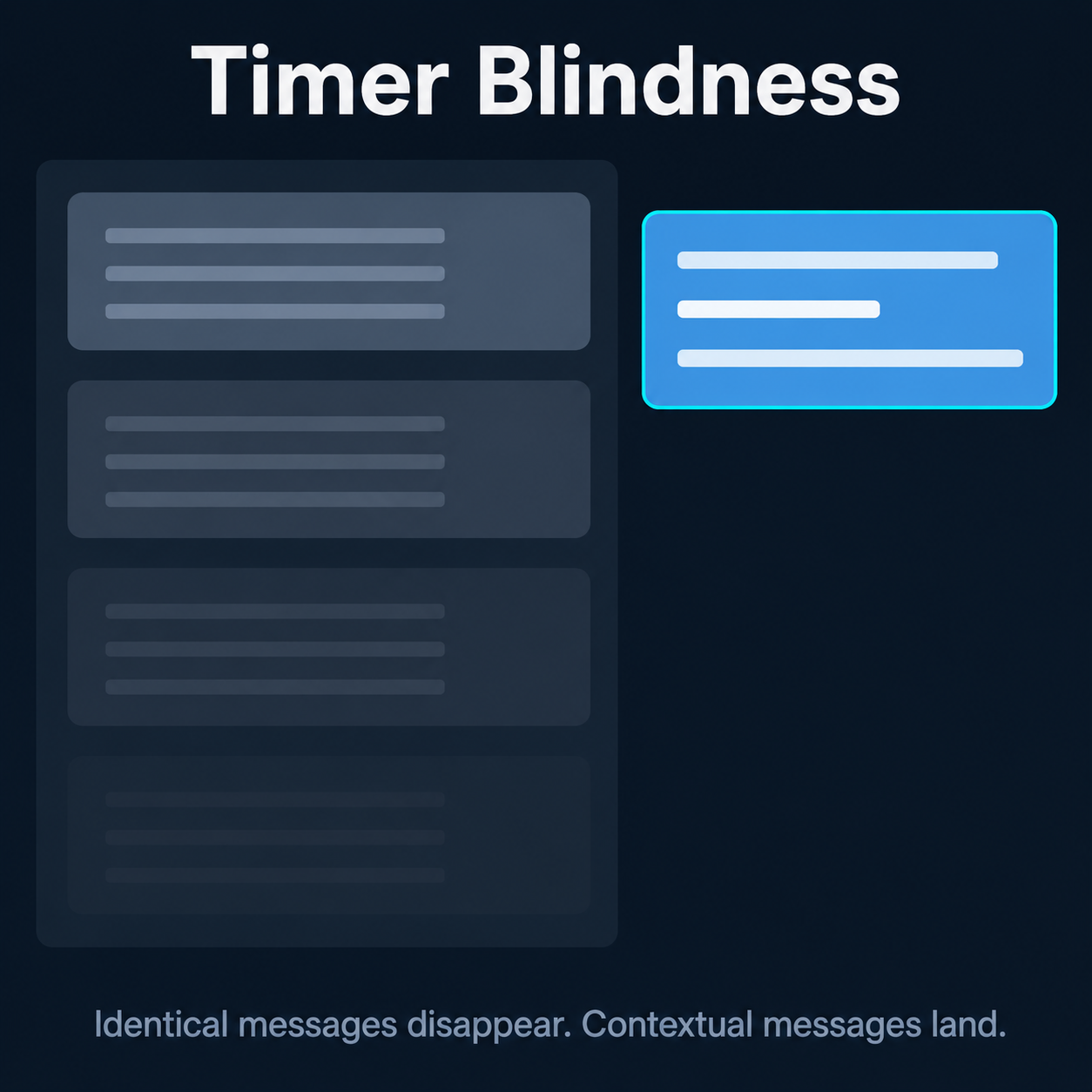
Important reminders can adapt to current stream topics and recent chat activity, so they land as fresh conversation starters instead of repeated wallpaper.
The anti-timer-blindness layer
The chatbot is strongest when it replaces static repetition with context. A raid message can connect two streams. A scheduled reminder can reference what is happening now. An ad-break recap can catch up the person who arrived at the worst possible time.
Smart Scheduled Chat Messages keep important calls to action fresh by adapting them to the current stream instead of posting identical text.
Attention Retention can summarize recent chat and tease interesting facts so the room has something to read while the video is interrupted.
Tailored Raid Messages help your community arrive with context, personality, and a natural reason to talk to the streamer you are raiding.
Control and customization
Frosty does not spray one bot personality across your channel. Pick the right behaviors, then tune them to your community.
Turn features on one at a time, test what fits, and keep the rest off until your stream is ready for them.
Use per-feature permissions for you, mods, VIPs, subs, or everyone so chat gets interaction without opening the door to chaos.
Set language, text style, personality presets, custom writing rules, and channel emotes where each feature supports them.
Keep the FrostyTools intelligence while sending messages from the bot identity your community already recognizes.
Emergency shutoff, permission gates, and feature toggles are built for live-stream conditions where you need quick control.
No downloads, no local hardware burden, and settings you can adjust from the dashboard when your stream changes.
Access
The free tier is real: it includes the core community-engagement features most streamers should try first. Benefactor adds Reactive Responses, Smart Scheduled Chat Messages, and Showstarter, and helps keep FrostyTools available.
Good for streamers who want to make follows, lurks, shoutouts, ad breaks, support moments, and raids feel less generic before paying anything.
Benefactor adds Reactive Responses, Smart Scheduled Chat Messages, Showstarter access, no cooldowns on free features, priority support, early access to new features, and 2,000 Exclusive Benefactor Bonus Tokens every monthBenefactor Bonus Tokens are the fuel you need for Highlight Hunter and Shortify. Valid for as long as you're a Benefactor..
Setup
It should feel easy to add because the streamer still has enough to manage before going live.
Use secure Twitch sign-in. You can revoke the connection from Twitch at any time.
Start with Warm Welcomes, Lurker Love, Full-scope Shoutouts, or any feature that fits your next stream.
Pick who can trigger commands, choose the style, add emotes, and set feature-specific guidance.
FrostyTools Smart Chatbot starts only where you enable it, and every feature remains adjustable from the dashboard.
Trust signals
The product is built around the same principle across every feature: enhance the streamer's connection with chat, do not replace it.
Contextual welcomes, shoutouts, lurk replies, recaps, celebrations, raid messages, and reactive responses have already landed in real Twitch chats.
FrostyTools was named at a TwitchCon 2024 panel on ethical AI in streaming as an example of responsible AI practice.
The FrostyTools Discord gives streamers a place for setup help, feedback, ideas, and direct connection with the builders.
Keep your moderation bot, overlays, and streaming software. FrostyTools solves a different problem.
Questions streamers ask
Which free features have a wait, when it applies, and how to remove it.
Full-scope Shoutouts: a 25-minute cooldown applies when your channel has more than 18 completed requests in the previous 30 days.
Chat Recaps: a 30-minute cooldown applies when your channel has more than 80 completed requests in the previous 30 days.
These cooldowns do not apply at or below those counts.
Each channel has separate shoutout and recap counts. Only completed requests count, using the date each request was made. The count covers the previous 30 days, rather than a calendar month.
Once the cooldown ends. The wait is measured from when your latest completed request was made. Trying again during the wait does not restart it. You can keep using these features after each cooldown; there is no monthly cutoff.
No. The waits above are specific to Full-scope Shoutouts and Chat Recaps. Feature settings, required chat activity, and safety protections can also affect when features run. Twitch's own limits still apply.
Active Benefactor access removes both free-usage cooldowns above. It also unlocks exclusive features, including Reactive Responses, Smart Scheduled Chat Messages, and Showstarter.
Unlock all features. Leave free-usage cooldowns behind.
Upgrade to BenefactorYes. Full-scope Shoutouts, Warm Welcomes, Lurker Love, Attention Retention, Custom Celebrations, Tailored Raid Messages, and Use Your Own Bot are available without a subscription. Benefactor adds Reactive Responses, Smart Scheduled Chat Messages, Showstarter access, no cooldowns on free features, priority support, and monthly Benefactor Bonus TokensBenefactor Bonus Tokens are the fuel you need for Highlight Hunter and Shortify. Valid for as long as you're a Benefactor., valid for as long as you're a Benefactor.
No. FrostyTools Smart Chatbot is built to work alongside moderation and utility bots. Keep your existing bot for spam filters, commands, and moderation; use FrostyTools for contextual engagement moments.
Yes. Supported features can use language settings, text styles, personality presets, custom writing instructions, and channel emote guidance so messages fit your community.
For command-triggered features, you can choose who is allowed to trigger them: only you, moderators, VIPs, subscribers, or everyone, depending on the feature.
You can toggle features from the dashboard. Warm Welcomes also has an emergency shutoff for unusual follower spikes, and the bot is designed to ignore intentionally offensive names.
No. FrostyTools Smart Chatbot is managed from the FrostyTools web dashboard after Twitch sign-in. There is no local app to install on your streaming computer.
Start with one free feature. If it fits your community, add the next one. The chatbot is strongest when it becomes a quiet layer of thoughtful moments across the whole stream.